Where to Put a Hygrometer to Monitor Hardwood Floors This Winter
Editorial date: October 3, 2026, 9:00 a.m. America/Toronto. First published: October 23, 2026.
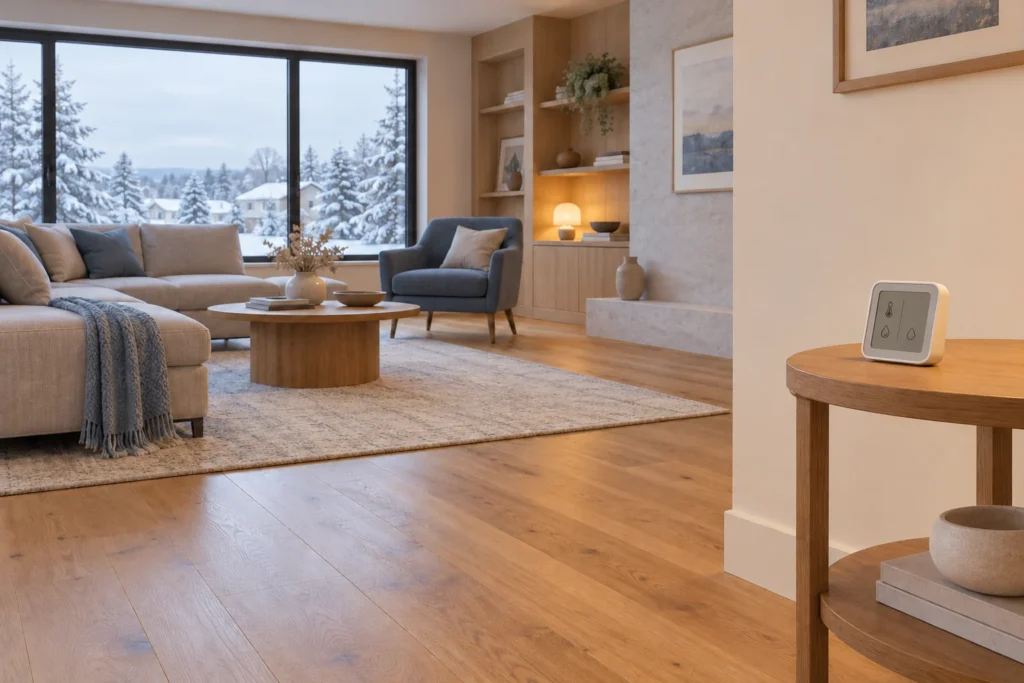
Put a hygrometer in the room you want to monitor, in an open, stable location away from direct sunlight, heating vents and moisture sources. An interior shelf or table is often a useful starting point, provided it meets the device maker’s placement instructions. Keep it in that spot so the readings can be compared over time.
For hardwood floors, the useful result is a record of the room’s conditions, not one reassuring number. A sensor beside a humidifier or on a cold windowsill may describe that small area rather than the room where the floor is installed.
Choose a repeatable location, not the nearest outlet
Start with the manufacturer’s instructions for your exact monitor. Leave its sensing openings unobstructed and choose somewhere you can read it without moving it. Avoid hiding it behind curtains, inside a cabinet or among objects on a crowded shelf.
As a product-specific example, AcuRite’s placement instructions for its AIR model 01412M specify sitting or standing height, typically 0.9–1.8 metres above the floor, with at least 2 inches (about 5 centimetres) of clearance from solid objects. They also advise against direct sunlight, heat sources and locations with frequently changing airflow. Those dimensions belong to that model; they are not a universal installation standard for hygrometers.
For an ordinary room-monitoring location, check the spot through a normal day:
- Does a heating register blow directly toward it when the furnace runs?
- Will sunshine reach it later, even if the spot is shaded now?
- Is it beside an exterior door that opens repeatedly?
- Could shower steam, cooking or a humidifier affect the reading?
- Can air circulate around the sensor without a fan blowing straight at it?
If the answer reveals a local influence, choose another location for the baseline reading. If you deliberately want to investigate that influence, use a separate labelled measurement rather than moving your baseline monitor back and forth.
Should the sensor sit directly on the hardwood?
Not simply because you are monitoring a wood floor. A room hygrometer measures the air around its sensor. Putting it on a plank does not turn it into a wood-moisture meter or tell you how damp the subfloor is.
Follow the monitor’s mounting instructions for routine room readings. If an installer asks for additional measurements close to a problem area, record that location separately. A floor-level reading and one taken on a shelf are different observations, so avoid combining them into one continuous record without noting the move.
Compare rooms before trying to average the whole house
A thermostat reading in the hallway does not document the conditions in every hardwood room. Begin with the room you are concerned about. If you have a second monitor, compare a second relevant area, such as a bedroom with its door usually closed.
Before separating two monitors, place them together in a suitable location and let them settle for the time specified by their instructions. Note any difference. This comparison is not a calibration certificate, but it can help you avoid mistaking disagreement between instruments for a difference between rooms. Check each device’s stated accuracy and troubleshooting guidance if the discrepancy is substantial.
Label each monitor and its location. If you only have one device, keep a continuous record in the main room first. When you move it, start a clearly labelled second set of observations and allow it to respond to the new surroundings.
Keep a simple winter humidity log
Here is a practical observation routine, not a manufacturer-mandated testing schedule: record the room temperature and relative humidity at roughly the same times each day for a week. Morning and evening observations can help you notice changes around normal heating and occupancy patterns. If your monitor logs automatically, save the history rather than only the latest screen.
Use these fields in a notebook or spreadsheet:
- Date and time: when the observation was taken.
- Room and sensor: a consistent name, such as “living room, interior shelf, sensor A”.
- Temperature and RH: include the units; RH is the air’s relative humidity percentage.
- Context: heating change, window left open, humidifier adjustment, unusually heavy cooking or another relevant event.
- Floor observations: a dated photograph and location if something has changed.
Keep the full record, not just the latest or most comfortable reading.
Compare the record with your floor’s instructions
Find the flooring manufacturer, collection and installation method before choosing a humidity target. The acceptable conditions can differ even within one product family. For example, Mirage’s 2026 Canadian TruBalance specifications list different relative-humidity conditions for floating versus glued or nailed/stapled installations. Those product limits should not be adopted for another floor.
If readings repeatedly fall outside your floor’s requirements, first check the sensor’s placement and operation, then discuss climate control with the appropriate flooring or HVAC professional. A room RH log alone cannot diagnose a leak, establish wood moisture content or clear a concrete subfloor for installation. Visible moisture or a rapidly changing floor needs assessment rather than waiting for a week of readings.
What to bring to a flooring conversation
Share the product name or invoice, installation method if known, the sensor model, a photo of its position and your dated log. Add photos of any floor change and say when you first noticed it. That is more useful than reporting only that the house “feels dry”.
If you are choosing a new floor, review LV Flooring’s engineered hardwood options with the room conditions in mind. Bring the same information when discussing hardwood floor installation, so the proposed product and preparation can be considered together.